 SetApka
The whole shooting schedule
on every crew member’s phone.
Upload the call sheet — the app lays out scenes, times, contacts and maps by itself. The crew sees live what’s being shot, how much break is left and what happens next.
iPhone and Android · in English, German and Polish
The shooting schedule, always at hand
Shooting schedule, call sheets, scripts and maps in one place — open them with one tap and keep them on the phone for places without signal.
Crew list = contact in a second
Upload the crew list and the app turns it into contacts grouped by department: phone, e-mail and WhatsApp with one tap.
One chat for the whole crew
One conversation for the whole project — messages and photos from set, no messenger groups to set up.
From PDF to the crew’s phones in three steps
No retyping the schedule. No group e-mails at 11 pm.
Upload the call sheet
A PDF straight from the phone or in the production panel in the browser. English, German, Polish — any layout.
The app reads the schedule
Scenes, times, cast, hair & make-up, transport, picture cars, maps and tomorrow’s preview. Anything unclear is marked for checking.
The crew has everything
One “Publish” — the schedule lands on phones with a notification. Changes during the day show up instantly.
The app points out what to check
A missing location, the same number for two people, a number without a country code — before the schedule reaches the crew, the coordinator sees what to confirm.
- Nothing reaches the crew without your approval
- Handles schedules with several units
- Maps and tomorrow’s draft go to the right folders
Everything the crew looks for during the day
Simple, logical, at hand — even without signal.
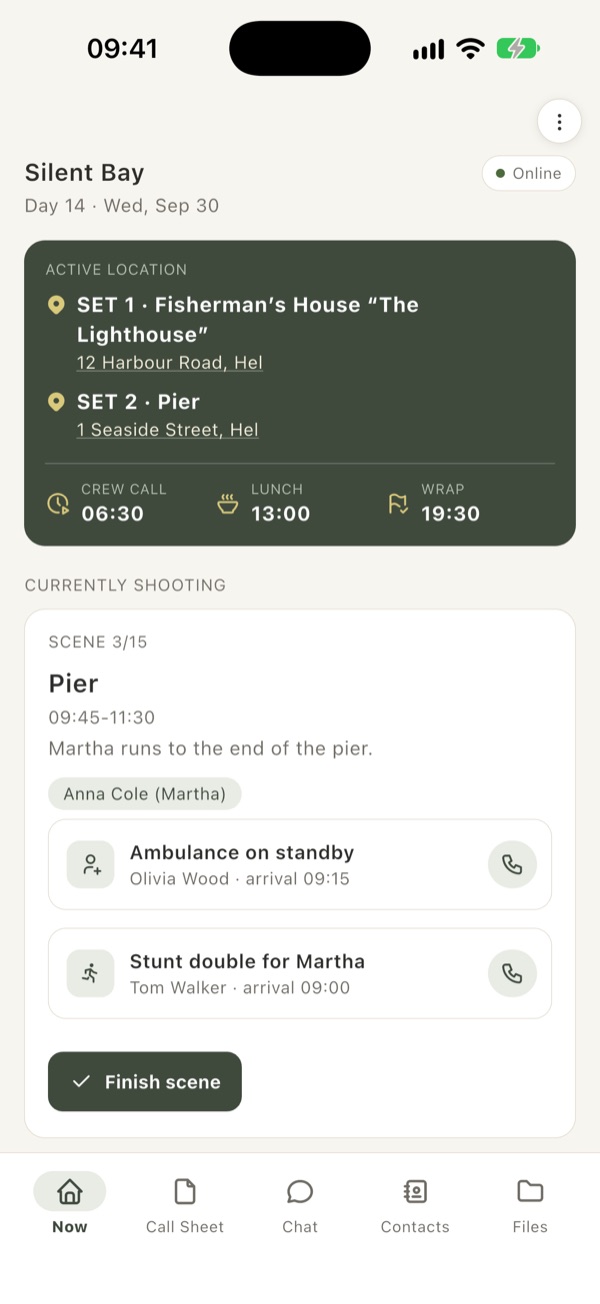
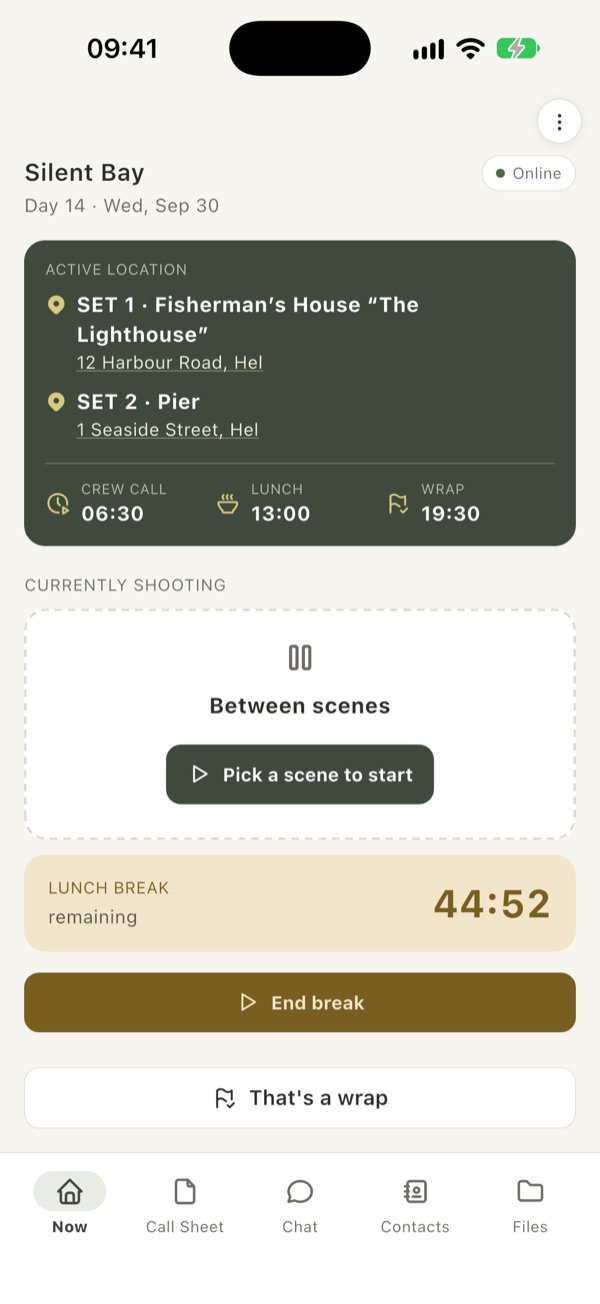
What we’re shooting, where, and how much break is left
The “Now” screen shows the scene being shot, the sets with a navigation pin, crew call, lunch and wrap. The lunch break counts down on every phone at once — and ends by itself.
- All sets listed, with Google Maps
- Break countdown, notification when it ends
- “That’s a wrap” and straight on to tomorrow’s call sheet
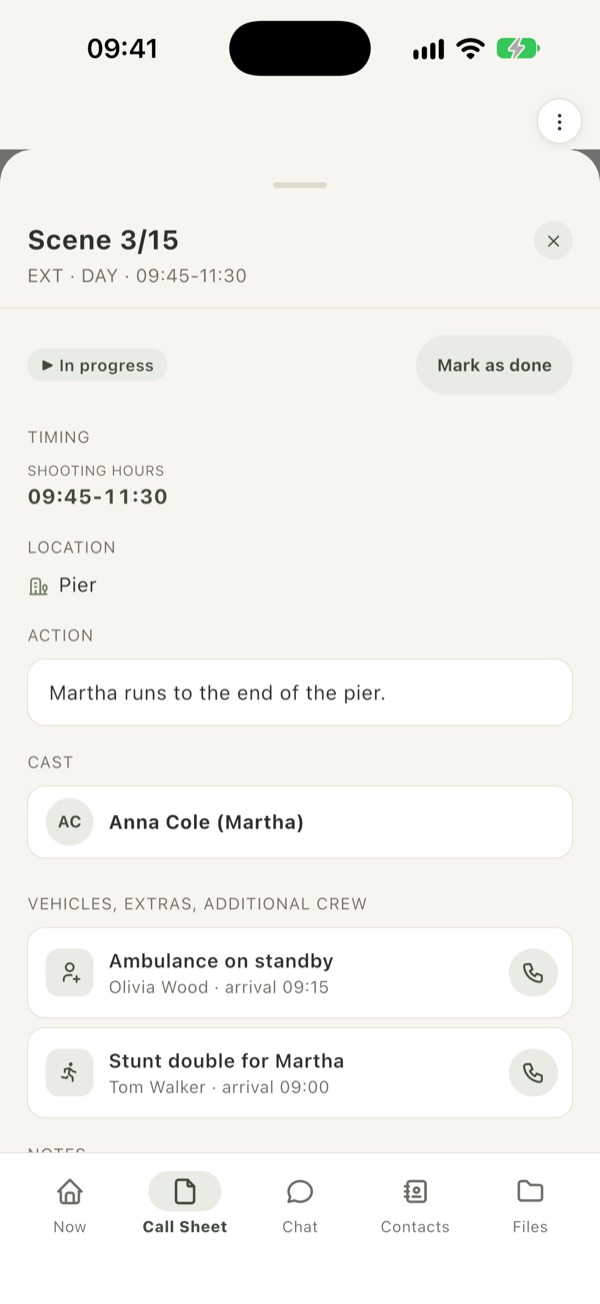
Scenes with everything they need
Every scene has its times, screen time and cast — plus the picture cars, extras, stunts or animals assigned to it, with the phone number of the person in charge. Strips like “Move” or “Fresh 15 min” send an announcement by themselves when the scene wraps.
- One tap to call
- Costume / make-up, transport, additional crew
- Several units on the same day — an A | B switch
Notifications
Scene start and wrap, breaks, urgent announcements, a new call sheet — pushed to the whole crew.
Works without signal
The schedule, maps and the day’s PDF are on the phone. The coordinator’s changes are sent automatically once there’s signal again.
Several units
A-Unit and B-Unit with their own locations, times and breaks. Everyone picks theirs and can peek at the other.
EN · DE · PL
International crew? Everyone gets the app in their own language, notifications too.
One app, two roles
Join with a code and you have the schedule
A project code or QR code from the production — no account, no passwords.
- The day’s schedule and the live scene
- Notifications about changes
- Contacts, maps, tomorrow’s draft
- Project chat
Run the day from your phone or computer
Production manager, AD, coordinator — in the app or in the browser panel.
- Upload schedules and publish with one tap
- Scene start / wrap, break, end of the shooting day
- Urgent announcements with push
- Crew permissions and project files
Only your crew sees the schedule
Every project is closed: the schedule, phone numbers, chat and files are visible only to people who joined with the project code. The production decides who has the PRO role and can remove people from the project. Privacy policy
Try SetApka on your production
The app is in beta. Write to us — you’ll get an invitation to the test version for iPhone and Android and access to the production panel.